Loading...
AI & Automation deep dive · 16 min read
How to Use Arya, the TraderMatrix AI Assistant
A complete walkthrough of Arya, the AI analyst built into every page on TraderMatrix. How to open her, what she reads, the 10 capability categories, memory, the token quota, three real workflows, and when a screener is still the better tool.
Open the tool →Hey guys, Art here. Arya is the AI assistant built into TraderMatrix and this guide covers how she actually works, what she reads, and how to get useful answers out of her from the first session. I want to go through this the same way I'd walk a new member through it in a screen share: the real mechanics, the real limits, no hand-waving.
The short version:
- Arya is available on every page from the sparkle orb in the bottom corner. Every logged-in account can use her; the monthly quota differs by plan.
- She reads live platform data: options flow, gamma levels, screener results, your watchlist and journal. She does not have an internet connection or a news feed.
- Phrase questions in plain English. You do not have to name a tool or page. "What's the gamma regime for SPY?" works exactly as well as knowing what GEX means.
- The /arya page at /arya lists all 59 things she can do with a one-tap Copy button on each example question.
- Memory is real. Tell her your account size or preferred DTE once and she stores it for every future answer.
- She does not place trades and does not read brokerage account data unless you have the ConnectTrade add-on configured.
What Arya is and what she isn't
There are two separate ways an AI can talk to TraderMatrix data. One of them is Arya, the in-app assistant. The other is the MCP connection for external clients like Claude Desktop. I want to be clear about the difference because they get confused constantly.
Arya is the chat widget mounted on every page. She runs inside the platform, reads your account context automatically, and answers questions in the browser. You don't configure anything to use her. She knows what page you're on and can pop up with a relevant observation on her own.
The MCP connection is for people who want to bring TraderMatrix data into an external AI client (Claude Desktop, Cursor, or the Claude web Connectors). It requires an API key and a configuration snippet. It is designed for building your own workflows and scripts outside the platform, not for getting a quick answer mid-session.
If you're reading this guide, you want Arya. The MCP guide is at /learn/tools/mcp-api.
The other distinction that matters: Arya is not a replacement for the screeners. The screeners run fixed logic against the whole universe automatically. The Momentum Pullback screener runs the same EMA-stack check on thousands of names every session without you doing anything. Arya can run a screener on demand, but she's better positioned for questions you have right now, on a name you're already looking at, than for daily ranked lists you want refreshed automatically. If you need the CSP Wheel screener every morning, open /screeners/csp-wheel directly. If you want Arya to explain what you're seeing on a specific name from that list, that's when to ask her.
Opening the chat
The sparkle orb sits in the bottom corner on every page after you log in. Click it and the chat panel opens. Type your question. That's the whole setup.
The catalog page at /arya is worth visiting once. It lays out all 59 capabilities across 10 categories and puts a Copy button next to each example question. You don't have to phrase things exactly; Arya understands natural language. Having the wording handy for a first question just saves the few seconds of wondering what to type.
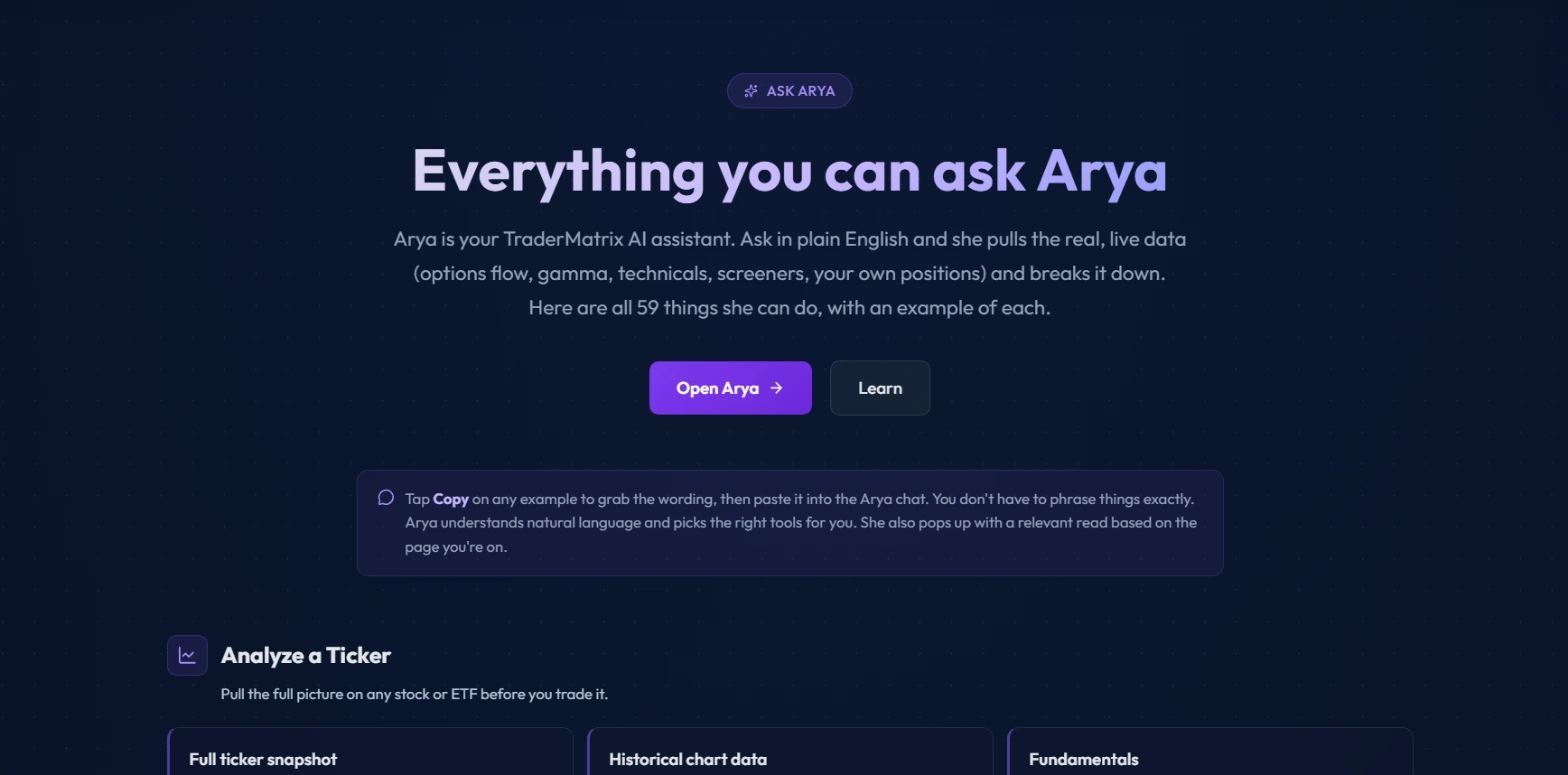 The /arya catalog lists every capability with copy-ready example prompts. Tap Copy, paste into the chat panel, and you get a real answer without guessing at phrasing.
Arya also surfaces on her own. When you open the chat on certain pages, she reads the current view and offers a relevant starting point before you type anything. On the Unusual Activity feed, she might note which name has the cleanest directional print right now. On a GEX page, she'll read the regime. You can dismiss it or follow up from there. The pop-up happens without a question from you and spends no quota until you actually respond.
The 10 capability categories
Here is what each category covers and when I reach for it.
Analyze a Ticker pulls the full picture on any single name. This is the category I use most often as a starting point. Live price, technicals (EMA, RSI, MACD, ATR), options analytics like max pain and expected move, fundamentals, and short interest. If I want a quick overall read before looking at anything else on a name, I'll start here.
Example: "Is NVDA a good buy right now?" or "What's TSLA's P/E, float and short interest?"
Options Flow is where she reads the live tape. She can pull individual unusual prints (sweeps, blocks, golden sweeps, all scored and with sentiment), the market-wide flow summary across all tickers, flow concentrated on a single name, and the most institutionally-traded names. She can also report how accurate the flow signals have been historically on a given ticker: hit rates at 1, 3, and 5 days by flow type and score tier.
Example: "What unusual options activity is there in NVDA today?" or "What tickers have the heaviest options flow today?"
Gamma & Magnets is the category that caught a lot of members off guard when it launched. Eight tools in here. She reads the market GEX regime, GEX for any ticker on demand, gamma pocket detection (when a name's own dealer-gamma sign diverges from the broad market), historical GEX, the full strike-by-expiry gamma matrix, and Apex magnet levels. The Apex Scout can scan the market for names sitting near a dealer magnet. This is a lot of capability that used to require opening several separate pages.
Example: "What's the gamma regime for the market today?" or "Where is NVDA pinned into Friday?"
Market & Sectors covers the macro backdrop. Market pulse gives a narrative read on overall bias, sector leaders, and risk-on/risk-off tone. She reads market health, put/call ratios on SPX/NDX/RUT/VIX, sector flow broken down by sector, and the full sector rotation picture. There's also a community conviction gauge based on watchlist momentum and chat sentiment across the platform.
Example: "What's the market doing today?" or "Which sectors are seeing the most bullish flow?"
Find Setups is the screener-on-demand category. She can run momentum pullbacks, gamma scans, CSP candidates, LEAPS, leveraged ETFs, and others. She can also pull technical breakout and continuation signals from the TraderMatrix oscillator with entry, target, and stop levels, bounce and reversal signals via the Dumb Money composite, and a live liquidity map for the strikes with the tightest spreads.
Example: "Find me cash-secured put candidates" or "What stocks are breaking out today?"
Build a Trade is the structuring category. The AI Strategist assembles and ranks multi-leg structures off the live chain with max profit/loss, breakevens, and probability of profit. She can show every expiration available for a ticker, pull the full options chain for a specific expiry, rank covered call strikes against your cost basis, rank CSP strikes to sell, and shop the chain for downside protection.
Example: "What's the best structure to trade NVDA?" or "What covered call should I sell on my AAPL at $150 cost basis?"
Earnings & Calendars covers the event layer. She reads the earnings calendar with BMO/AMC timing and analyst estimates, earnings flow positioning across the market ahead of reports, call/put breakdown and implied move for a specific ticker's report, the economic calendar with impact levels and consensus estimates, and upcoming ex-dividend dates with early-assignment context for covered calls.
Example: "What earnings are coming up this week?" or "How are traders positioned into NVDA earnings?"
Long-Term & Quality is for names you hold rather than trade. Quality score and ranked board across the investable universe, and the IPO scanner with upcoming filings, recent performance, a pre-IPO radar, and lifecycle transition log.
Example: "Find me high-quality dividend stocks to hold" or "What IPOs are coming up?"
Smart Money pulls congressional trading disclosures. STOCK Act filings for US senators and representatives, both market-wide and per ticker.
Example: "What have politicians been trading lately?" or "Have any politicians traded NVDA recently?"
Your Account is the most personal category and the one that benefits most from memory. She reads your watchlist with 24-hour flow, sentiment, and recent unusual activity per name. She reads your open wheel positions and journal trades. She can give coverage advice on whether to sell another call on shares you wheel. She shows your win rate and P&L split by source (Big Bet alerts, All-In alerts, manual entries). She tracks the specific contracts you're following and whether any show exit signals. And she has the full memory toolkit: save a preference, review everything she knows about you, remove a stored fact.
Example: "What's happening with my watchlist today?" or "What's my win rate on the alerts?"
Memory
Tell Arya something once and she stores it. The example on the catalog page is "Remember that I sell 30-45 DTE puts on blue chips." After that, every CSP recommendation she gives is shaped around that window without you specifying it again. The same goes for account size, tickers you hold, strategy preferences, or anything else about how you trade.
You can ask her "What do you know about me?" to review what's stored. You can ask her to forget a specific fact when it's no longer true. For example, if you closed a position you had told her about.
This isn't session memory. It's not a note that disappears when you close the tab. Arya stores it in your account and pulls it back when you open the chat in a future session.
The practical implication: the first few things you tell Arya have outsized value. If she knows your account size, your preferred strategy, and your typical DTE, her screener outputs and structure recommendations are already calibrated to you. You're not getting generic answers.
Proactive recall
When you open the chat after a gap, Arya may show a recall card. If you discussed a ticker in the last two weeks, she'll surface it with how much it has moved since that conversation. Not your P&L, not your entry. Just the ticker and its price move since you last asked about it. Click the card to open a fresh conversation on that name.
This exists because the natural moment to follow up on a thesis is when you see the name move, not when you happen to remember to check on it. The recall card brings it to you.
Token quota
Each plan has a monthly token quota. The quota covers the AI computation behind Arya's answers. A short question about a ticker's technicals uses fewer tokens than a full sector rotation breakdown with screener output. The quota resets at the start of each calendar month.
The numbers in the code are worth knowing. The free tier gets 600,000 tokens per month, which is roughly five to six full conversations based on the platform's measured average, enough to judge whether Arya is useful before upgrading. The beginner tier gets 2,400,000. The premium tier gets 10,000,000. If you run through your subscription quota, you can purchase top-up token packs without waiting for a reset. The quota meter is visible inside the chat panel.
One thing worth noting: cached prompt tokens count at a lower rate than fresh ones. Arya's tool schema and system context get re-sent on every turn, but after the first pass they're cached and billed at a fraction of full weight. A tool-heavy conversation costs less quota per turn than the raw token count suggests.
Three workflows that show her in practice
Pre-market routine (15 minutes)
Before the open I run a fixed sequence. First question: "What's the market doing today?" This gives me a market pulse narrative: risk-on or risk-off, sector leaders, overall bias from flow. One turn.
Second question: "What's the gamma regime for the market today?" This tells me whether we're in positive gamma (moves dampen, premium-selling environment) or negative gamma (moves extend, buying options makes more sense). I want this before I look at individual names.
Third: "What's happening with my watchlist today?" She pulls 24-hour flow, sentiment, and unusual activity for every name on my list in one answer. Names with fresh activity get a follow-up question. Everything else I deprioritize.
If a name surfaces that I want to look at more closely, I'll ask specifically: "What unusual options activity is there in TSLA today?" That gives me the individual prints with scoring and sentiment before I decide anything.
The whole routine takes about 15 minutes. I'm not opening five separate pages. I'm asking four questions and getting a structured picture of the session before it starts.
Explaining a print
Say I'm on the Unusual Activity feed and I see a large golden sweep on a name I don't know well. I know what a golden sweep means mechanically (it cleared the $2.5M floor with volume above five times open interest, near the money), but I don't know if this is unusual for this name, what the chart looks like, or whether a catalyst is nearby.
Two questions to Arya.
First, "Pull a full snapshot on [ticker]." She gives me price, technicals, max pain, expected move, and ATM IV. I can see in one answer whether the stock is in a healthy technical position or stretched.
Second, "How are traders positioned into [ticker] earnings?" She pulls the earnings flow context: implied move, call and put premium building, whether any large sweeps or blocks have landed leading into the report. Now I know whether the print I saw is consistent with a broader positioning thesis or a one-off.
Two turns, maybe three minutes. Without Arya I'm opening Ticker Search, the earnings calendar, and the flow summary separately, then doing the synthesis myself. That synthesis is what she's doing here.
Sizing a covered call
I hold 200 shares of AAPL at a $150 cost basis and want to sell covered calls for income. I want the recommendation shaped around what I actually hold, not a generic answer.
After storing the position with "Remember that I hold 200 AAPL shares at a $150 cost basis," I ask: "What covered call should I sell on my AAPL position?" She ranks OTM call strikes by annualized return on capital, delta, and cushion above my basis. She knows I have 200 shares and she knows the cost basis, so her answer is specific.
Follow-up: "Is now a good time to sell covered calls on AAPL or should I wait?" She reads the IV rank, the gamma regime for AAPL, and whether the current flow is net bullish. Selling a covered call caps upside, and if the bullish side is loaded that matters. That judgment uses three data sources at once, which no individual screener handles.
Once Arya has stored the position, I don't have to repeat it. The next time I ask about covered calls on AAPL, she already knows what I hold.
Pairings
Arya works best as the synthesis layer alongside tools that show raw data.
Unusual Activity is the raw feed. When Arya tells you there's unusual flow on a name, go to Ticker Search and run the 30-day history. See whether today's print is a one-off or part of weeks of accumulation. Arya summarizes the current picture. Ticker Search shows every individual print in sequence.
The MCP connection is for people who want to use the same data outside the platform. If you're building analysis workflows in Claude Desktop or an external AI tool, the MCP lets you query TraderMatrix data from there. Arya and the MCP read from the same data layer. The difference is that Arya is an in-app experience with your account context built in, while the MCP is a raw data connection you configure and call yourself.
Ticker Search rounds out the trio for any close look at a specific name. Arya narrows the thesis. Ticker Search builds the full picture with every flow event visible.
Common mistakes
Asking for a trade call
"Should I buy NVDA calls here?" is the most common question I hear from new members. Arya won't give you a yes or no answer to that. What she will give you is the data behind the question: flow lean, gamma regime, screener signals, the options structure for the thesis you already have. The judgment call stays with you.
If you want a structure ranked for a direction, "What's the best structure to trade NVDA bullishly?" gets you somewhere useful. She assembles the trade architecture. You decide whether to put it on.
Not naming a ticker
"What's the flow looking like?" gets a market-wide answer. That's sometimes exactly what you want. But if you have a specific name in mind, include it. "What's the flow looking like for AMD?" gets you AMD specifically, not a broad scan you have to sort through. The more specific the question, the more targeted the answer.
Not using memory
Most members use Arya without ever storing a preference. Every answer defaults to generic parameters. The first three facts worth storing are: your account size, your primary strategy (wheel, swing, directional), and your typical DTE window. After that, the recommendations she gives are calibrated to what you actually do. A ten-second investment in memory pays back on every turn for the rest of the month.
Re-asking the same question in different words
If flow is thin on a name, Arya's flow summary is thin too. An answer that says "there isn't much unusual flow on XYZ today" is an accurate answer, not a failure. Rephrasing it doesn't change the underlying data. What it does do is spend more of your quota. If you want more context on a quiet name, try Ticker Search's 30-day view or look at the technicals instead.
What she doesn't tell you
Arya reads from inside the platform. She doesn't have a live news feed. She doesn't know about an earnings preannouncement that broke 20 minutes ago, not unless it's already reflected in the options flow data. The News Wire is the right tool for headline context: one stream from Benzinga, Nasdaq trading halts, SEC filings, Fed releases, and CNBC.
She can't read your brokerage account directly. If you tell her what you hold in memory, she works from what you've told her. The "Your positions" capability under the Your Account category reads positions you've logged in the Trade Journal, not live brokerage fills.
She does not place trades. Whatever structure she recommends, you execute it yourself through your broker.
Arya does her best work on names where the platform has rich data. For large-cap, heavily traded, flow-active names, her answers are detailed and cross-referenced across multiple data sources. For a small-cap name with thin options volume, she has less to work with. The answer reflects the data, not a generic opinion.
Options trading involves real risk of loss, including potentially more than the amount invested. Nothing here is financial advice; it's an explanation of how the tools work and how to use them. Do your own research and manage position sizing carefully.